书生大模型实战营-L2-InternVL微调实践
本节任务要点
- follow 教学文档和视频使用QLoRA进行微调模型,复现微调效果,并能成功讲出梗图.
实践流程
准备InternVL模型
我们使用InternVL2-2B模型。该模型已在share文件夹下挂载好,现在让我们把移动出来。
mkdir -p /root/project/joke/modelcp -r /root/share/new_models/OpenGVLab/InternVL2-2B /root/project/joke/model
# 不用ln -s准备环境
这里我们来手动配置下xtuner。
- 配置虚拟环境,安装xtuner,之前安装过了是0.1.21的,现在要安装0.1.23的
conda create --name xtuner python=3.10 -y
# 激活虚拟环境(注意:后续的所有操作都需要在这个虚拟环境中进行)conda activate xtuner
# 安装一些必要的库conda install pytorch==2.1.2 torchvision==0.16.2 torchaudio==2.1.2 pytorch-cuda=12.1 -c pytorch -c nvidia -y# 安装其他依赖apt install libaio-devpip install transformers==4.39.3pip install streamlit==1.36.0
cd /root/project/joke/code
git clone -b v0.1.23 https://github.com/InternLM/XTuner
cd XTunerpip install -e '.[deepspeed]'
pip install lmdeploy==0.5.3 datasets matplotlib Pillow timm
xtuner version数据集:huggingface上的zhongshsh/CLoT-Oogiri-GO
# 把数据集挪出来ln -s /root/share/new_models/datasets/CLoT_cn_2000 /root/project/joke/datasetsInternVL 推理部署攻略
之后我们使用lmdeploy自带的pipeline工具进行开箱即用的推理流程,首先我们新建一个文件。
touch /root/project/joke/code/test_lmdeploy.py然后把以下代码拷贝进test_lmdeploy.py中。
from lmdeploy import pipelinefrom lmdeploy.vl import load_image
pipe = pipeline('/root/model/InternVL2-2B')
image = load_image('/root/InternLM/007aPnLRgy1hb39z0im50j30ci0el0wm.jpg')response = pipe(('请你根据这张图片,讲一个脑洞大开的梗', image))print(response.text)运行执行推理结果。
python /root/project/joke/code/test_lmdeploy.py推理后我们发现直接使用2b模型不能很好的讲出梗,现在我们要对这个2b模型进行微调。
这张图片展现了一群绵羊在挤在一起的情景,但在这群绵羊中间,却有一个非常显眼的鸟类。这只鸟的羽毛是黑色和黄色相间,它站立在绵羊之间,显得非常突出。
这种对比形成的搞笑效果,常被称为“鸟的奇迹”(The Bird ofthe Week)。这个梗来源于这样一个现象:当一只鸟出现在一群绵羊中间时,往往会引起绵羊的关注,甚至有些会试图去接近这只鸟。这种场景在现实生活中并不常见,因此很容易引发人们的联想和笑料。
这个梗通常用来形容那些在人群中显得特别突出或特别引人注目的人或事物。例如,在人群中突然出现了一个特别搞笑或特别有特点的人,或者一个特别的物体,比如一只鸟。InternVL 微调攻略
准备数据集
datasets准备好了
配置微调参数
修改XTuner下 InternVL的config
/root/project/joke/code/XTuner/xtuner/configs/internvl/v2/internvl_v2_internlm2_2b_qlora_finetune.py
# Copyright (c) OpenMMLab. All rights reserved.from mmengine.hooks import (CheckpointHook, DistSamplerSeedHook, IterTimerHook, LoggerHook, ParamSchedulerHook)from mmengine.optim import AmpOptimWrapper, CosineAnnealingLR, LinearLRfrom peft import LoraConfigfrom torch.optim import AdamWfrom transformers import AutoTokenizer
from xtuner.dataset import InternVL_V1_5_Datasetfrom xtuner.dataset.collate_fns import default_collate_fnfrom xtuner.dataset.samplers import LengthGroupedSamplerfrom xtuner.engine.hooks import DatasetInfoHookfrom xtuner.engine.runner import TrainLoopfrom xtuner.model import InternVL_V1_5from xtuner.utils import PROMPT_TEMPLATE
######################################################################## PART 1 Settings ######################################################################### Modelpath = '/root/project/joke/model/InternVL2-2B'
# Datadata_root = '/root/project/joke/datasets/CLoT_cn_2000/'data_path = data_root + 'ex_cn.json'image_folder = data_rootprompt_template = PROMPT_TEMPLATE.internlm2_chatmax_length = 6656
# Scheduler & Optimizerbatch_size = 4 # per_deviceaccumulative_counts = 4dataloader_num_workers = 4max_epochs = 6optim_type = AdamW# official 1024 -> 4e-5lr = 2e-5betas = (0.9, 0.999)weight_decay = 0.05max_norm = 1 # grad clipwarmup_ratio = 0.03
# Savesave_steps = 1000save_total_limit = 1 # Maximum checkpoints to keep (-1 means unlimited)
######################################################################## PART 2 Model & Tokenizer & Image Processor ########################################################################model = dict( type=InternVL_V1_5, model_path=path, freeze_llm=True, freeze_visual_encoder=True, quantization_llm=True, # or False quantization_vit=False, # or True and uncomment visual_encoder_lora # comment the following lines if you don't want to use Lora in llm llm_lora=dict( type=LoraConfig, r=128, lora_alpha=256, lora_dropout=0.05, target_modules=None, task_type='CAUSAL_LM'), # uncomment the following lines if you don't want to use Lora in visual encoder # noqa # visual_encoder_lora=dict( # type=LoraConfig, r=64, lora_alpha=16, lora_dropout=0.05, # target_modules=['attn.qkv', 'attn.proj', 'mlp.fc1', 'mlp.fc2']))
######################################################################## PART 3 Dataset & Dataloader ########################################################################llava_dataset = dict( type=InternVL_V1_5_Dataset, model_path=path, data_paths=data_path, image_folders=image_folder, template=prompt_template, max_length=max_length)
train_dataloader = dict( batch_size=batch_size, num_workers=dataloader_num_workers, dataset=llava_dataset, sampler=dict( type=LengthGroupedSampler, length_property='modality_length', per_device_batch_size=batch_size * accumulative_counts), collate_fn=dict(type=default_collate_fn))
######################################################################## PART 4 Scheduler & Optimizer ######################################################################### optimizeroptim_wrapper = dict( type=AmpOptimWrapper, optimizer=dict( type=optim_type, lr=lr, betas=betas, weight_decay=weight_decay), clip_grad=dict(max_norm=max_norm, error_if_nonfinite=False), accumulative_counts=accumulative_counts, loss_scale='dynamic', dtype='float16')
# learning policy# More information: https://github.com/open-mmlab/mmengine/blob/main/docs/en/tutorials/param_scheduler.md # noqa: E501param_scheduler = [ dict( type=LinearLR, start_factor=1e-5, by_epoch=True, begin=0, end=warmup_ratio * max_epochs, convert_to_iter_based=True), dict( type=CosineAnnealingLR, eta_min=0.0, by_epoch=True, begin=warmup_ratio * max_epochs, end=max_epochs, convert_to_iter_based=True)]
# train, val, test settingtrain_cfg = dict(type=TrainLoop, max_epochs=max_epochs)
######################################################################## PART 5 Runtime ######################################################################### Log the dialogue periodically during the training process, optionaltokenizer = dict( type=AutoTokenizer.from_pretrained, pretrained_model_name_or_path=path, trust_remote_code=True)
custom_hooks = [ dict(type=DatasetInfoHook, tokenizer=tokenizer),]
# configure default hooksdefault_hooks = dict( # record the time of every iteration. timer=dict(type=IterTimerHook), # print log every 10 iterations. logger=dict(type=LoggerHook, log_metric_by_epoch=False, interval=10), # enable the parameter scheduler. param_scheduler=dict(type=ParamSchedulerHook), # save checkpoint per `save_steps`. checkpoint=dict( type=CheckpointHook, save_optimizer=False, by_epoch=False, interval=save_steps, max_keep_ckpts=save_total_limit), # set sampler seed in distributed evrionment. sampler_seed=dict(type=DistSamplerSeedHook),)
# configure environmentenv_cfg = dict( # whether to enable cudnn benchmark cudnn_benchmark=False, # set multi process parameters mp_cfg=dict(mp_start_method='fork', opencv_num_threads=0), # set distributed parameters dist_cfg=dict(backend='nccl'),)
# set visualizervisualizer = None
# set log levellog_level = 'INFO'
# load from which checkpointload_from = None
# whether to resume training from the loaded checkpointresume = False
# Defaults to use random seed and disable `deterministic`randomness = dict(seed=None, deterministic=False)
# set log processorlog_processor = dict(by_epoch=False)训练
conda activate xtunerNPROC_PER_NODE=1 xtuner train \ /root/project/joke/code/XTuner/xtuner/configs/internvl/v2/internvl_v2_internlm2_2b_qlora_finetune.py \ --work-dir /root/project/joke/code/work_dir/internvl_ft_run_8_filter \ --deepspeed deepspeed_zero1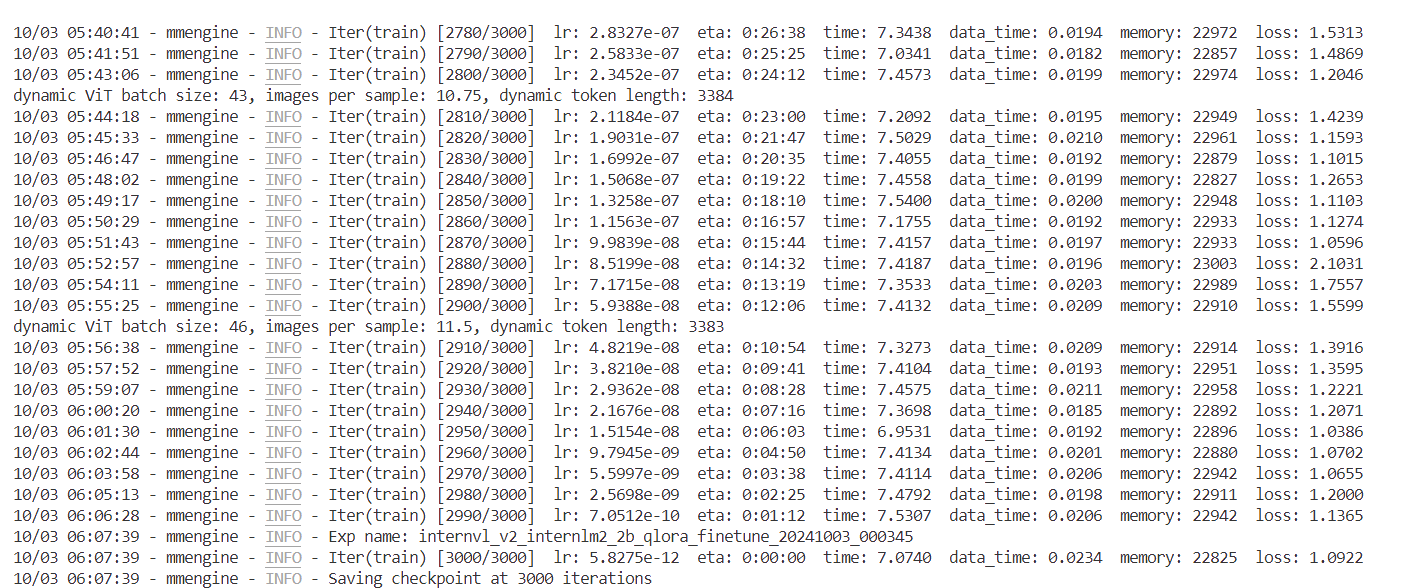
合并与转换权重
cd /root/project/joke/code/XTuner
python xtuner/configs/internvl/v1_5/convert_to_official.py \ xtuner/configs/internvl/v2/internvl_v2_internlm2_2b_qlora_finetune.py \ ../work_dir/internvl_ft_run_8_filter/iter_3000.pth \ ../../model/InternVL2-2B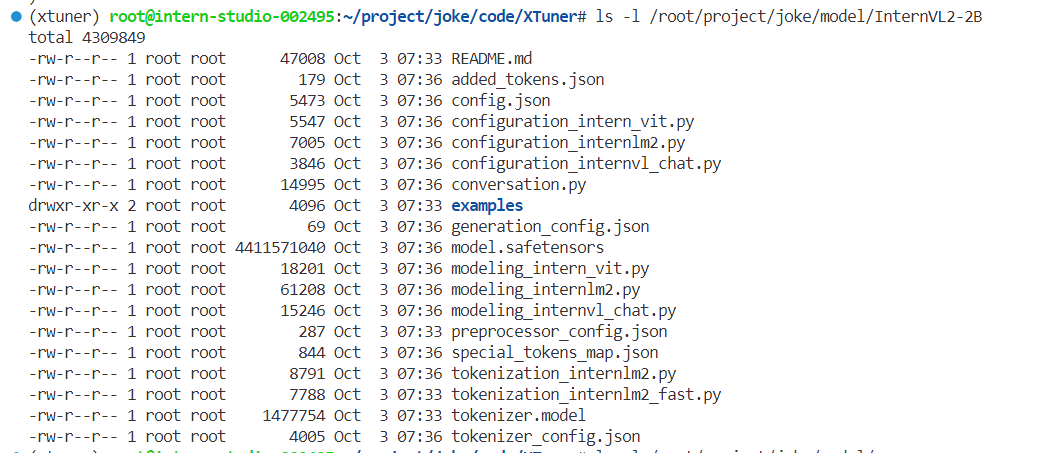
微调后效果对比
运行前面的test_lmdeploy.py
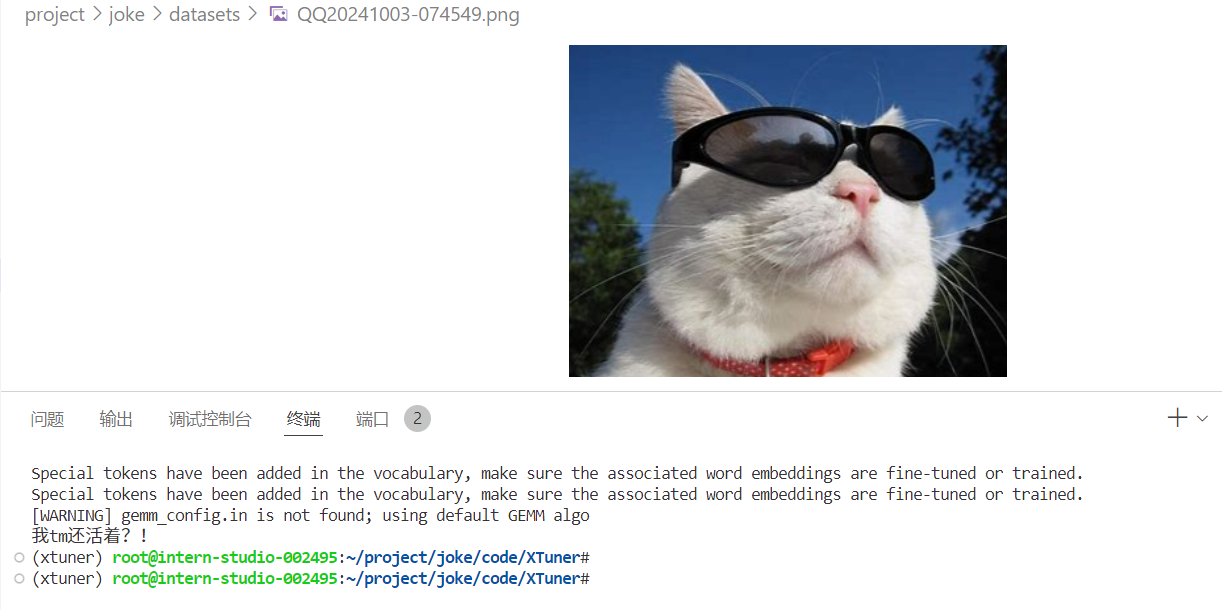
python /root/project/joke/code/test_lmdeploy.py感觉自己好冷
总结
数据很重要
Comments